Pet emote maker
Pet Emote MakerYour dog or cat, as 8 animated emotes.
Pet Emote Maker turns one photo of your dog, cat, rabbit or other pet into a locked cartoon character and makes 8 matching animated emotes from it — Hi, GG, LOL, Hype, Love, Sad, Sip and Sleep — sized for Twitch, Discord, 7TV and BTTV in one zip. A full set is 10 credits: 2 for the character sheet and 1 per emote.
- One character, every asset
- Passes Twitch & Discord limits
- Start free, no picture needed
- Upload
- Lock
- Animate
- Download

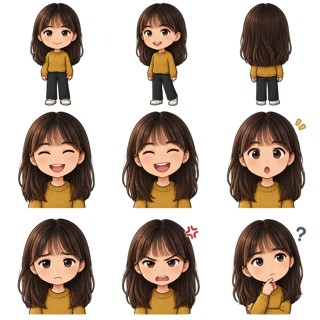 mei.jpg Chibi · locked
 hi
 lol
 love
 hype
 gg
 sip
 sad
 sleep
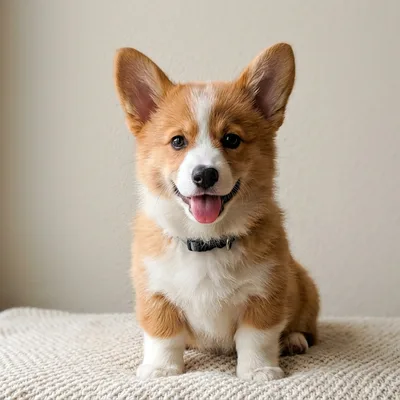
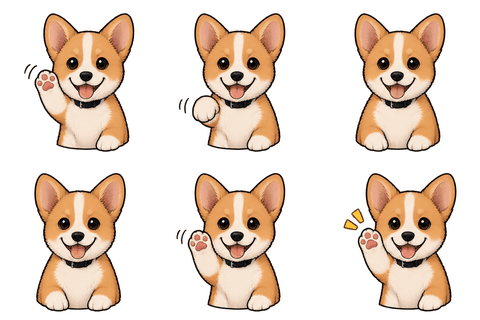
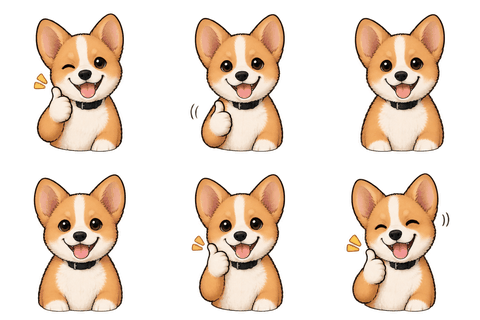
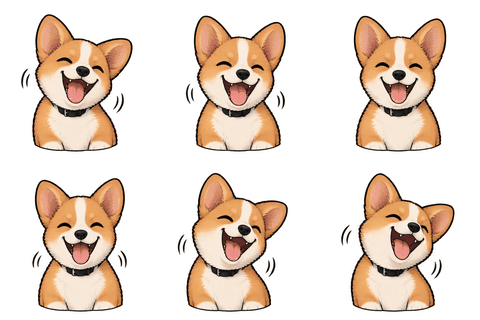
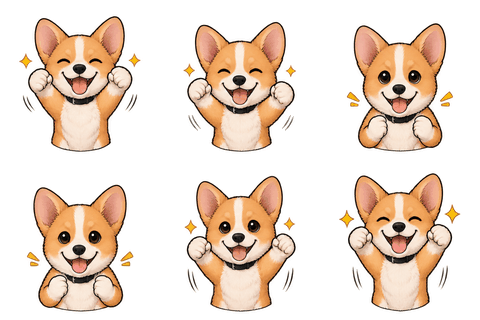
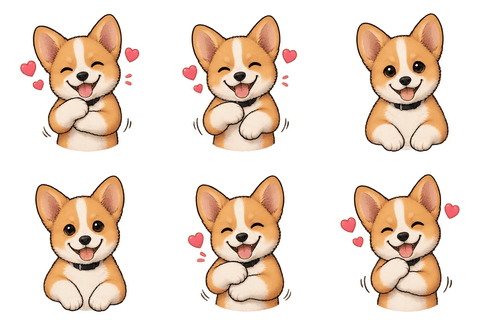
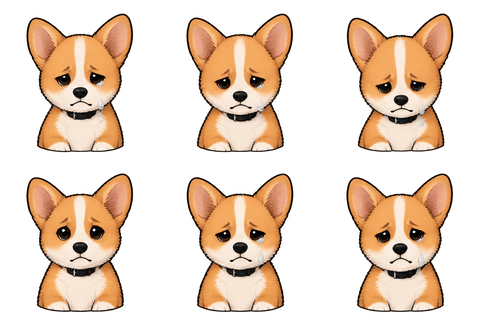
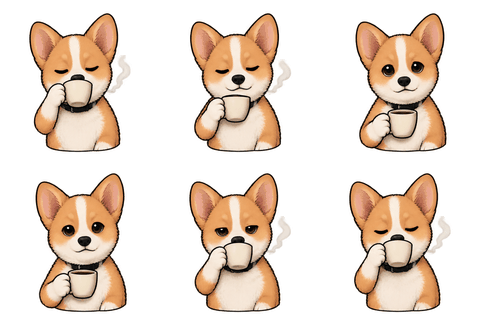
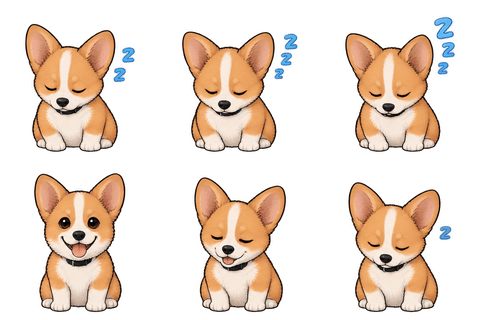
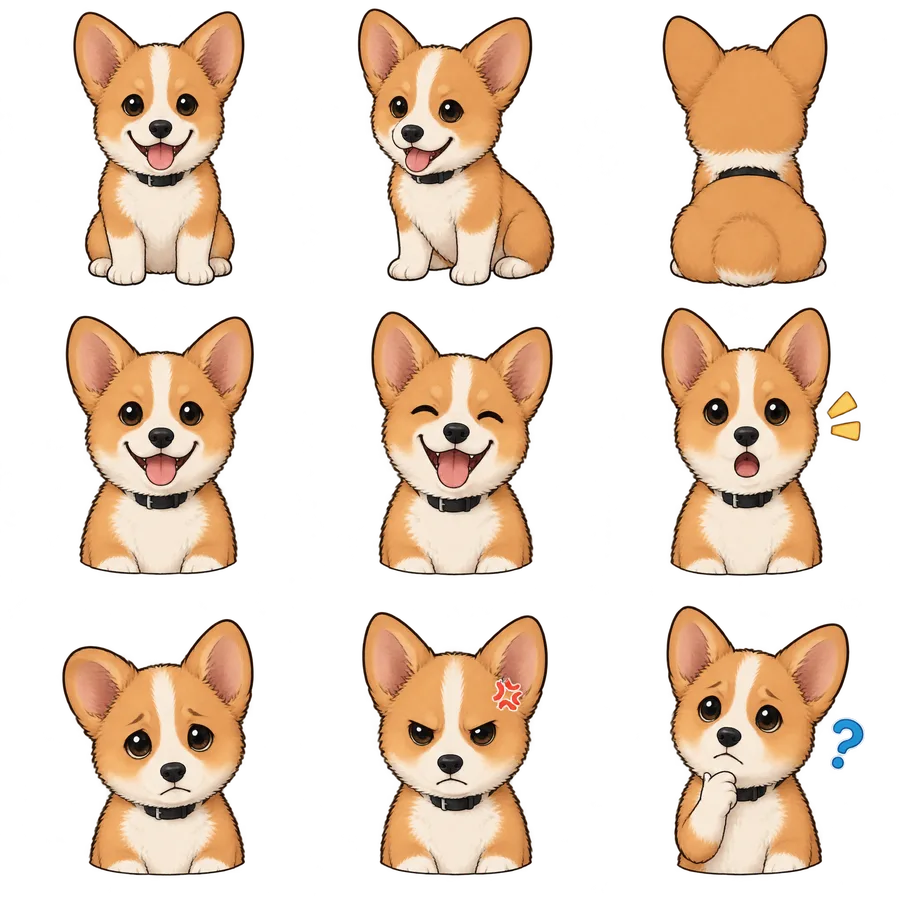
The locked character sheet (2 credits) every emote was drawn from. 8 emotes, 1 credit each: 10 credits for the set. The photo is AI-generated; no real pet was used.
Real sample
One photo of Biscuit, eight emotes
The set above is a real run of this tool, not a mock-up. We used one photo of Biscuit, a corgi puppy who doesn’t exist (the photo is AI-generated, so no real pet was used). We picked the Chibi cartoon style, confirmed the character sheet, then asked for the default eight moves. The sheet took about 30 seconds and each emote 22–33 seconds. It cost 10 credits in total.
Every emote is an 8-frame loop drawn from the same sheet, which is why the ears, white blaze and collar stay put from Hi to Sleep. At 112 px the eight GIFs came out between 53 and 58 KB each and at 28 px around 10 KB each, far below Twitch’s 512 KB limit. The Discord 128 px versions were 66–72 KB, well under 256 KB.
Choosing the photo
What kind of pet photo works best
- Face the camera: a front view with both eyes and both ears visible gives the cleanest sheet.
- One animal per photo. Two cats on a sofa will merge into one strange cat.
- Even daylight, a plain background and a sharp face. A blurry action shot loses the markings that make your pet yours.
- Distinct markings help: a white blaze, a patch over one eye, a coloured collar. Mention anything important in the character name if you like; the sheet keeps what it can see.
PNG, JPG or WEBP up to 10 MB, one to three photos. A side view or full-body photo is optional but helps with tails and long ears.
Style
Cartoon beats photo-real at 28 px
A photo-real dog shrinks into a brown smudge at Twitch’s smallest size. A chibi or flat-sticker version keeps a big head, simple shapes and a bold outline, so the expression still reads in chat. That’s why our sample uses Chibi cartoon. Pixel art, Anime, 3D toy and Flat sticker work too, and Keep my style follows your photo more literally.
The style is applied once, on the character sheet, and held for every emote after it. If the sheet gets a marking wrong, redo the sheet before you lock it; it costs 2 credits and saves you redoing eight emotes.
How it works
From pet photo to emote set
- 1Upload
Add one to three photos of your pet and pick a style.
- 2Character sheet
We draw three views and six expressions of your pet (about 30 seconds, 2 credits). Check the markings, then lock it.
- 3Emotes
Choose up to 8 moves from 16 presets, or write your own (“wags tail”, “steals a sock”). Each is an 8-frame loop for 1 credit.
- 4Download
Preview them at real chat size, pick the speed, and download Twitch 112/56/28 + 512, Discord 128, 7TV 128 and BTTV 112 files in one zip.
New accounts get 3 free credits, enough for a sheet and one emote, so you can see your pet animated before you buy anything.
Honest limits
What to expect
AI results vary. A paw can come out with an extra toe in one frame, or a tail can change sides. You see each emote animated before you download it, and you can redo any single emote for 1 credit. Failed generations refund their credits automatically.
Animated emotes on Twitch are for Affiliates and Partners only; the static PNGs in the same zip work for everyone. Only upload photos of your own pet or a pet whose owner agreed.
Specs
The limits we check for this page
| Platform | What | Size | Max file | Format | Source |
|---|---|---|---|---|---|
| Twitch | Animated emote, manual upload (28/56/112) · ≤ 60 frames | 28 / 56 / 112 | 512 KB | GIF | Official |
| Twitch | Animated emote, auto-resize (one file) · ≤ 60 frames | 112–4096 px square | 1 MB | GIF | Official |
| Discord | Server emoji (128×128 recommended) | 128 | 256 KB | PNG, GIF, WEBP, JPG | Official |
| 7TV | Emote (128×128 recommended) | 128 | 1 MB | PNG, GIF, WEBP | Common value |
| BetterTTV | Emote (112×112) | 112 | 1 MB | PNG, GIF | Common value |
Last checked 2026-11-06. “Common value” means the platform doesn’t publish it; check its upload page. Sources: Twitch animated emotes, Twitch badges, Discord emoji, Discord stickers, WhatsApp stickers, Telegram stickers.
FAQ
Frequently asked questions
Can I turn my dog into a Twitch emote?
Yes. Upload one front-facing photo of your dog, confirm the cartoon character sheet, and pick up to 8 moves. You get animated GIFs at 112, 56 and 28 px plus a 512 px file for Twitch auto-resize, and static PNGs.
Does it work for cats, rabbits and other pets?
Yes. Any single animal with a clearly visible face works. Busy backgrounds or several animals in one photo give weaker results.
How much does a pet emote set cost?
A character sheet is 2 credits and each animated emote is 1, so 8 emotes are 10 credits. Packs start at $9.99 for 15 credits; new accounts get 3 free credits.
How long does it take?
In our sample run the sheet took about 30 seconds, and all 8 emotes, requested together, were done about 40 seconds later.
Will the emotes look like my pet?
They follow the character sheet made from your photo, so markings, colours and ear shape carry over. It is a cartoon version, not a photo; check the sheet before you lock it.
Can I use the pet emotes on Discord?
Yes. Every emote is also exported at 128×128 under Discord’s 256 KB limit. In our sample the Discord files were 66–72 KB each.
Related
Keep going
Got a pet photo? Try it with 3 free credits.
Enough for a character sheet and one animated emote of your pet.